

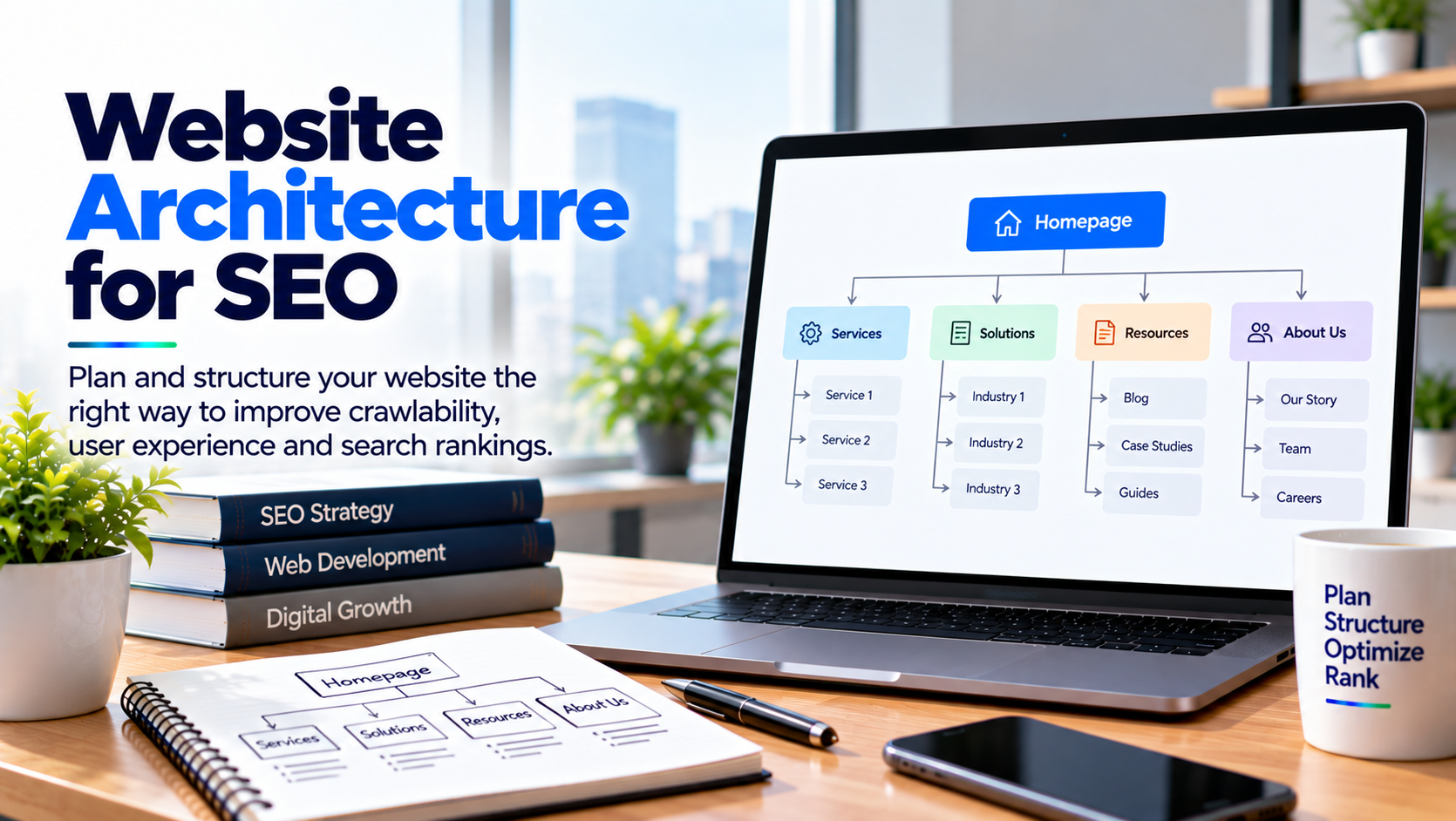
Website Architecture for SEO: How to Build a Search-Friendly Website

A website can have excellent content and attractive design, but its performance in search can still suffer if its pages are poorly organized. Search engines need to crawl websites, understand the relationships between pages, and identify which content is most important. Visitors also need a clear path to find services, products, resources, and contact information.
This makes website structure an important part of both user experience and search engine optimization. A well-planned structure can help businesses organize content logically while making important pages easier to discover.
For companies managing healthcare websites, SaaS platforms, software development websites, e-commerce stores, or enterprise applications, website architecture for seo should be considered before large-scale development begins. The structure created at the beginning can influence navigation, internal linking, URLs, content organization, and future website growth.
What Is Website Architecture and Why Does It Matter?
Website architecture refers to how the pages and sections of a website are organized and connected. It defines how visitors move from one page to another and how search engine crawlers discover different areas of the website.
A simple architecture usually makes important information easier to reach. For search engines, clear relationships between pages can provide useful context about the topics covered by the website.
Think About Users Before Building the Structure
The first step should be understanding what visitors need from the website. A software company may have different audiences looking for healthcare solutions, mobile application development, e-commerce services, cloud solutions, or custom software.
Each major service can have its own dedicated page, supported by relevant educational articles and resources. This creates a logical structure instead of putting every service on one general page.
Create a Clear Hierarchy Between Pages
A strong website hierarchy helps establish relationships between broad topics and more specific pages. The homepage can introduce the business, while category or service sections can organize related offerings.
For example, a healthcare technology website might have a healthcare software development section with supporting pages for telehealth, patient portals, healthcare applications, and medical software solutions.
Keep Important Pages Close to the Main Navigation
Important business pages should not be hidden several layers deep within the website. Visitors and search engines should be able to reach core service pages through logical navigation and internal links.
A practical approach is to limit unnecessary layers while maintaining enough organization to separate different topics. This can make the website easier to manage as new pages are added.
Use Internal Links to Connect Related Content
Internal linking is one of the most useful parts of website architecture for seo because it connects pages within the same website. These links can help visitors move between related topics and help search engines discover additional pages.
Internal links should have a clear purpose. A blog about telehealth development, for example, can naturally link to a healthcare software development service page when the service is relevant to the topic.
Build Topic Connections Instead of Random Links
A website can be organized into topic groups where several related pages connect to a central service or category page. This approach can help visitors continue researching a subject without returning to the homepage after every page.
For example, a healthcare software section might connect articles about patient portals, telemedicine, healthcare data, mobile apps, and software development to relevant service pages.
Keep URL Structures Simple and Consistent
URLs are another part of website architecture that deserves attention. A clear URL can give visitors an idea of what a page contains before they open it.
Businesses should avoid creating unnecessarily complicated URL structures. Descriptive and consistent URLs can also make website management easier when hundreds or thousands of pages are involved.
Plan URLs Before Publishing Large Numbers of Pages
Changing URLs repeatedly can create unnecessary redirects and migration work. Before launching a new website or content section, businesses should establish a consistent URL format.
If an existing URL needs to change, the appropriate redirect should be mapped carefully so users and search engines are directed to the correct new location.
Organize Content Around Topics and Search Intent
Content should be organized according to the questions and needs of the target audience. A website that publishes hundreds of unrelated articles may have plenty of content but still lack a clear topical structure.
Instead, businesses can create groups of related content that support important commercial and informational pages.
Build Content Hubs Around Important Services
Suppose a company provides healthcare software development. A central service page can be supported by articles covering telehealth apps, patient portals, healthcare application features, security considerations, integrations, and development costs.
This type of content organization can create stronger relationships between informational content and commercial pages while helping visitors move from learning to evaluating a service.
Make Navigation Easy for Visitors
Navigation is not only a design element. It is also an important part of the website's information architecture. Visitors should be able to understand where they are and where they can go next.
Navigation menus should focus on the most important sections rather than trying to display every available page.
Use Descriptive Navigation Labels
Labels such as "Healthcare Solutions," "Software Development," or "Mobile App Development" can give users more context than vague labels.
Navigation should also remain consistent across the website. Changing the menu structure from one section to another can make the browsing experience confusing.
Consider Mobile Users When Planning Architecture
Website architecture should work across desktop and mobile devices. A complicated desktop menu may become difficult to use when converted to a small mobile screen.
Mobile navigation should preserve access to important pages without requiring visitors to search through multiple layers.
Keep the Mobile Menu Focused
A mobile menu should contain the most useful categories and pages. Dropdowns can be used where necessary, but excessive levels can make navigation difficult.
The goal is to create a structure that remains understandable regardless of the device being used.
Avoid Creating Unnecessary Duplicate Pages
Large websites can sometimes create multiple URLs that display similar or identical content. This can happen because of filters, tracking parameters, duplicate categories, old URLs, or poorly managed content systems.
Businesses should regularly review their website for unnecessary duplicates.
Use Canonicalization When Appropriate
Canonical tags can help communicate the preferred version of a page when multiple URLs represent similar content. However, canonicalization should be implemented based on the actual site structure rather than used as a solution for every duplicate-page situation.
Technical SEO teams should review the cause of duplication and determine the appropriate solution.
Plan Architecture for Future Website Growth
A website may start with a few dozen pages and eventually grow into hundreds or thousands. Architecture should therefore account for future expansion.
This is especially important for SaaS companies, healthcare platforms, e-commerce websites, and businesses that regularly introduce new services or products.
Build a Flexible Structure
A flexible architecture allows new pages to be added without completely changing the navigation or URL structure. Categories, subcategories, and content hubs should be planned with potential future growth in mind.
This can reduce restructuring work when the website becomes larger.
Use Sitemaps as a Supporting Technical Element
An XML sitemap provides search engines with a list of URLs that the website considers important for discovery. It does not replace good internal linking, but it can support the crawling and discovery process.
Businesses should keep their sitemaps clean and review them regularly.
Keep Sitemap URLs Relevant
URLs that should not be indexed generally should not be treated as important sitemap entries. Businesses should review sitemap coverage and remove unnecessary or outdated URLs when appropriate.
This is particularly useful for large websites where old pages, temporary URLs, and duplicate content can accumulate over time.
Website Architecture and Healthcare Software Websites
Healthcare websites often contain multiple services, applications, resources, and educational pages. Clear organization is particularly useful because visitors may include patients, healthcare professionals, administrators, and technology decision-makers.
For healthcare software companies, website architecture for seo can help separate different service areas while connecting related educational resources.
Create Dedicated Healthcare Service Sections
Instead of placing every healthcare solution on one long page, businesses can create dedicated pages for relevant services and connect them through navigation and contextual internal links.
This allows each page to focus on a specific topic while maintaining relationships with the wider healthcare section.
Review Architecture During a Website Redesign
Website redesigns are a common time for architecture problems to appear. Pages may be deleted, URLs may change, categories may be renamed, and navigation may be reorganized.
Before launching a redesign, SEO teams should compare the existing and proposed structures.
Protect Important Existing URLs
Businesses should identify pages that receive organic traffic, backlinks, or search visibility before removing them. If a page must move, an appropriate redirect should be planned.
A redesign should improve the website without unnecessarily removing useful content or breaking established page relationships.
How to Evaluate a Website's Architecture
Businesses can review their architecture by asking a few practical questions. Can visitors reach important service pages easily? Are related pages properly connected? Are URLs consistent? Are there unnecessary duplicate pages?
Search engine crawling and indexing data can also reveal structural issues. SEO teams can use tools such as Google Search Console and website crawlers to identify broken links, orphan pages, redirect chains, and indexing problems.
Look for Orphan and Deep Pages
An orphan page has no meaningful internal links pointing to it. Such pages may be harder for users and crawlers to discover.
Pages that are buried too deeply within the structure can also deserve attention. Important content should generally have clear pathways from relevant sections of the website.
Working With a Development Partner
Website architecture involves SEO, content, UX, and development decisions. Businesses should therefore work with teams that understand how these areas interact.
A development partner should be able to discuss navigation, URL structures, responsive design, internal linking implementation, redirects, XML sitemaps, and technical SEO requirements.
SynergyTop provides web and software development services for businesses across different industries. Businesses can review its digital development capabilities through SynergyTop.
Final Thoughts
Good website architecture creates a foundation that supports both visitors and search engines. Clear navigation, logical page relationships, descriptive URLs, internal linking, organized content, and scalable structures can make a website easier to understand and manage.
The goal of website architecture for seo is not simply to create a structure for search engines. It is about organizing information in a way that makes sense to real users while giving search engines clear signals about the relationship between pages.
For businesses planning a new website, expanding a content library, or redesigning an existing platform, architecture should be discussed before development begins. A thoughtful structure can make future SEO, content management, and website growth much easier to handle.