
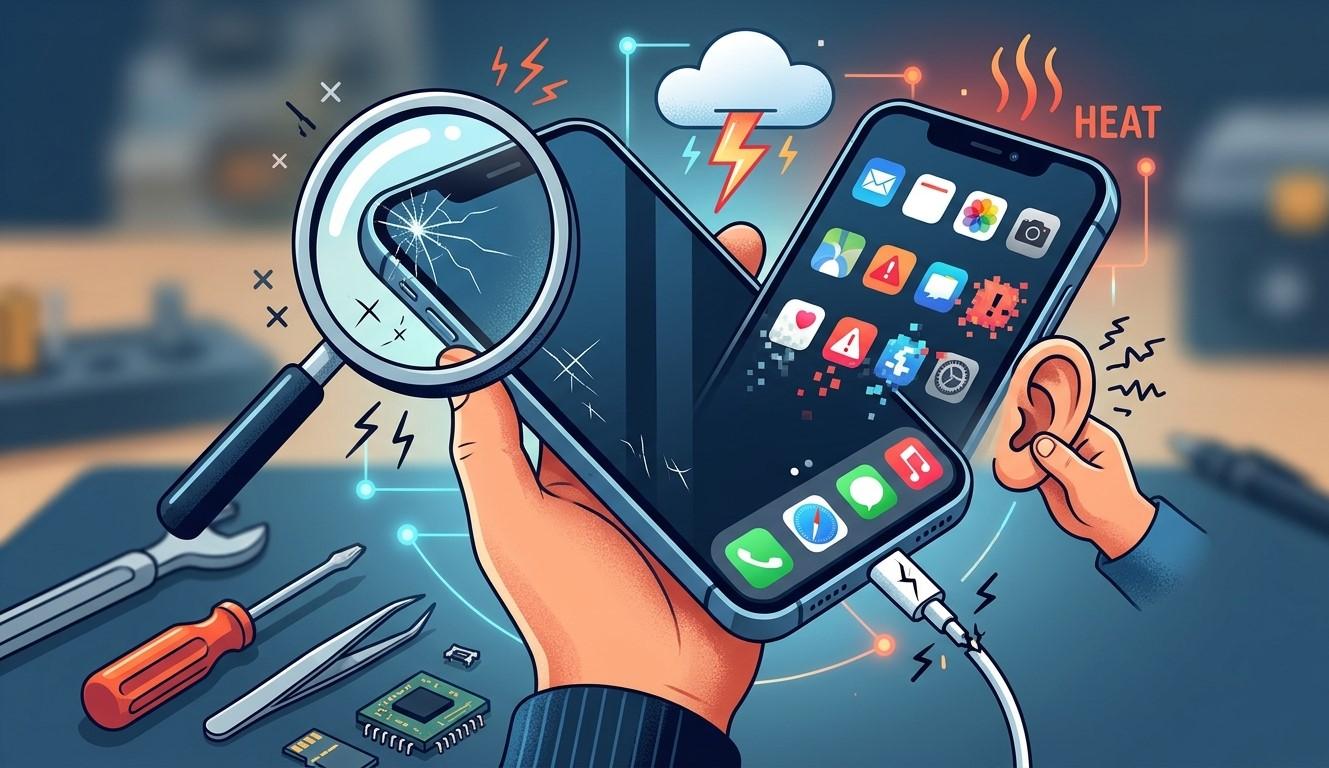

Your smartphone is an important part of everyday life, helping you communicate, work, browse the internet, and capture memories. However, regular use, accidental drops, moisture, and general wear can gradually damage its hardware. Recognizing early warning signs can help you address problems before they become more serious or expensive. Whether you notice unusual battery behavior, charging difficulties, display issues, or poor audio quality, identifying the cause early is important. Mobile Phone Repair Albany can help you explore suitable solutions when your device develops persistent problems. Understanding when to seek professional mobile phone repair Albany services can also help protect your phone and extend its useful life.
Table of Contents
-
Common Signs of Mobile Phone Hardware Damage
-
What Causes Hardware Damage?
-
What Should You Do When You Notice Damage?
-
How to Prevent Mobile Phone Hardware Problems
-
Frequently Asked Questions
-
Conclusion and Call to Action
1. Common Signs of Mobile Phone Hardware Damage
Hardware problems can affect different parts of your smartphone. Watch for these common warning signs.
1. Cracked Screen or Display Problems
Visible cracks, flickering, dark spots, unusual lines, and unresponsive touch areas may indicate display damage. Even if your phone still works, continued use of a damaged screen can make operation difficult and may expose internal components.
2. Battery Draining Too Quickly
If your phone loses battery power unusually fast, shuts down unexpectedly, or struggles to hold a charge, the battery may be deteriorating. A swollen battery is a more serious warning sign. Stop using or charging the device if you notice swelling, and arrange professional assistance.
3. Charging Problems
A phone that charges intermittently or only works when the cable is held at a particular angle may have a damaged charging port, cable, or internal connection. Check the cable and power adapter before assuming the phone needs repair.
4. Overheating
Some warmth during charging or demanding activities is normal. However, frequent excessive heat while performing simple tasks may indicate a battery, charging, or internal hardware problem.
5. Speaker or Microphone Issues
Distorted sound, low speaker volume, muffled calls, or a microphone that stops working can indicate damage to audio components. Dust, moisture, and physical impact may contribute to these problems.
6. Camera Malfunctions
Blurry photographs, camera app failures, focusing problems, or unusual noises from the camera area may indicate a damaged lens or internal camera component.
7. Buttons Not Responding
If your power, volume, or other physical buttons become difficult to press or stop responding, the buttons or their internal connections may be damaged.
2. What Causes Mobile Phone Hardware Damage?
Several everyday situations can affect smartphone hardware:
-
Accidental drops: Impacts can damage screens, internal connections, cameras, and other components.
-
Water exposure: Moisture can cause corrosion and affect internal circuits.
-
Poor charging accessories: Incompatible or low-quality chargers may create charging problems.
-
Dust and debris: Dirt can collect around speakers, microphones, and charging ports.
-
Excessive heat: High temperatures can affect battery health and internal components.
-
General wear and tear: Regular use can gradually affect buttons, ports, batteries, and other parts.
Understanding these causes can help you take better care of your device.
3. What Should You Do When You Notice Damage?
If you suspect hardware damage, take a few sensible steps:
-
Back up important data: Save photographs, contacts, and documents whenever possible.
-
Avoid further physical damage: Use your device carefully and avoid pressure on damaged areas.
-
Check accessories: Test a compatible charging cable and adapter if charging is the problem.
-
Avoid DIY repairs: Opening your phone without the right tools and experience can cause additional damage.
-
Seek professional diagnosis: A technician can inspect the device and explain suitable repair options.
If your phone is swollen, unusually hot, or showing signs of battery damage, stop using it and seek professional guidance promptly.
4. How to Prevent Mobile Phone Hardware Problems
Good maintenance can reduce the risk of accidental damage.
-
Use a durable protective case and screen protector.
-
Keep your phone away from water and excessive moisture.
-
Use compatible, reliable charging accessories.
-
Avoid leaving your phone in extremely hot environments.
-
Clean your device carefully using manufacturer-approved methods.
-
Handle charging cables and ports gently.
-
Arrange an inspection if you notice recurring problems.
These simple habits can help maintain your smartphone's condition and performance.
Frequently Asked Questions
1. What Are the First Signs of Phone Hardware Damage?
Common early signs include screen flickering, rapid battery drain, charging interruptions, overheating, distorted audio, and unresponsive buttons.
2. Can Hardware Damage Get Worse Over Time?
Yes. Some problems, such as cracked screens, loose charging connections, and internal corrosion, can become more serious if ignored.
3. How Do I Know If My Phone Battery Is Damaged?
Frequent unexpected shutdowns, unusually fast battery drain, charging difficulties, and physical swelling can indicate battery problems. Stop using a swollen battery and seek professional assistance.
4. Is It Better to Repair or Replace a Damaged Phone?
It depends on the phone's age, overall condition, repair cost, and extent of damage. A professional diagnosis can help you compare your options.
5. Can Water Damage Affect Phone Hardware?
Yes. Moisture can damage internal circuits, connectors, speakers, and other components. Turn off a wet phone if safe, do not charge it, and seek professional advice.
Conclusion
Recognizing early signs of mobile phone hardware damage can help you avoid bigger problems and unnecessary expenses. From cracked screens and battery issues to charging faults and camera malfunctions, paying attention to unusual behavior is essential. Regular maintenance and timely professional inspection can help extend your device's lifespan.
If your smartphone is showing signs of damage, Mobile Phone Repair Albany can help you explore suitable repair solutions. Choosing reliable mobile phone repair Albany services can help you understand the problem and make an informed decision about your device. If you need assistance, visit Mobile Phone Repair Albany to discuss your phone's symptoms and available repair options.
Call to Action (CTA)
Noticed something unusual with your smartphone?
Don't ignore the warning signs. Contact Mobile Phone Repair Albany to discuss your device's condition, explore diagnostic options, and find a suitable repair solution. Taking action early may help prevent further damage and keep your phone working reliably.